
AT&T
AT&T Services, Inc.Productivity
4.5160.06K Reviews
- Version
- 2026.10.2
- Installs
- 100.00M
- Age Rating
- Everyone
Screenshots
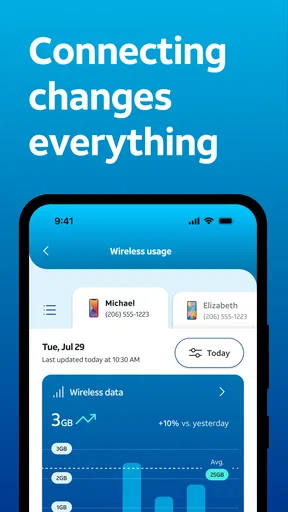
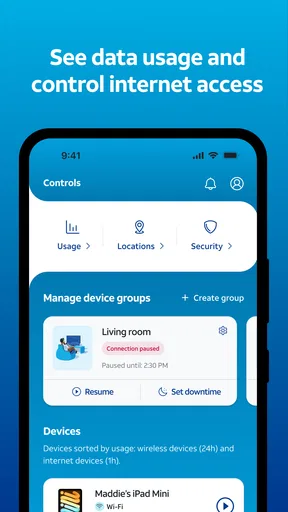
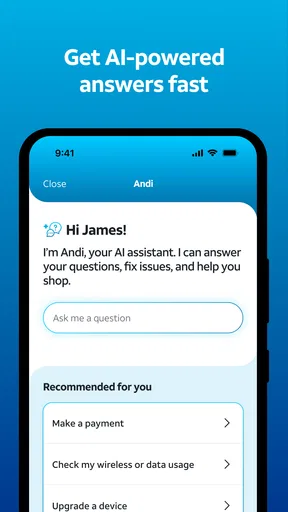
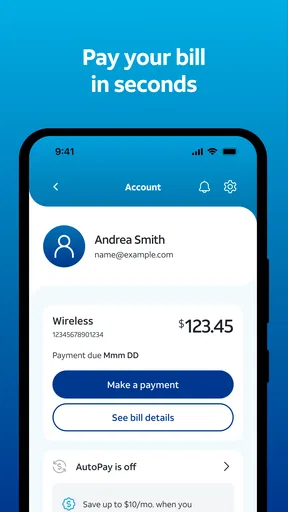
Our Review of AT&T
 Analysis by Appyee
If you’ve ever found yourself tangled up in the web of phone plans and network providers, you’ll appreciate the simplicity of AT&T's mobile app. From paying your bills to checking your data usage, this app attempts to make managing your phone plan as painless as possible. I decided to dive in and see what it’s all about.
When account tasks depend on a connection
This is a productivity app with a very specific job: helping AT&T customers handle common account tasks from a phone. Its usefulness is clearest when you need to check a bill, review data usage, look for current deals, or reach support without switching to a computer. The developer is AT&T Services, Inc., and the app is free, so it can be a practical companion if you already use the carrier.
There is an important trade-off, though: the app is most valuable when your phone has a dependable internet connection. Checking a current account balance or loading support information is not the same as opening a saved note. In a weak-signal spot, I would not count on getting through an account task quickly. If you are about to travel or expect patchy reception, it is sensible to review anything time-sensitive before you leave reliable coverage.
Getting Started with AT&T
First things first, downloading the app was a breeze. Available on both Android and iOS, it’s just a quick search away in the app store. Once it’s on your device, you’re greeted with a straightforward login page. If you’ve got an account, you’re in. If not, setting one up is pretty intuitive. No rocket science here.
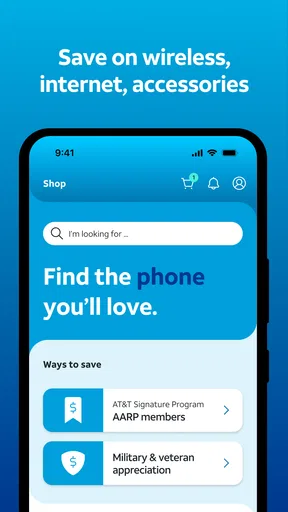
Once logged in, the AT&T app home screen is your dashboard, offering a snapshot of your account. It’s like a command center where you can see your bill, current plan, and data usage right off the bat. The design is clean and user-friendly, which is always a plus.
A better fit for account holders than casual shoppers
The opening screen is useful because it can turn a quick check into a short routine: open the dashboard, look at what needs attention, and leave. I find this most helpful when I’m trying to avoid a last-minute surprise rather than when I want to explore every service option. If several people share an account, the account view can also help the person handling the bill keep plan and usage details in one place, rather than piecing them together from messages and emails.
That convenience depends on having the right account access. I would make sure the account holder’s login is ready before relying on the app to solve something while away from home. If you are helping a family member, agree on who will sign in and manage account changes; sharing credentials casually is not a great substitute for clear account access. The app is not a general-purpose phone utility, either. If you do not have an AT&T account, or you mainly want a broad comparison of plans from different providers, a carrier-neutral comparison resource is a better starting point.
Features That Make Life Easier
The app is packed with features that aim to simplify your life. One of my personal favorites is the bill pay option. Gone are the days of mailing checks or even logging onto a desktop. You can pay your bill with just a few taps, and you can even set up auto-pay if you’re prone to forgetting. Trust me, it’s a lifesaver.
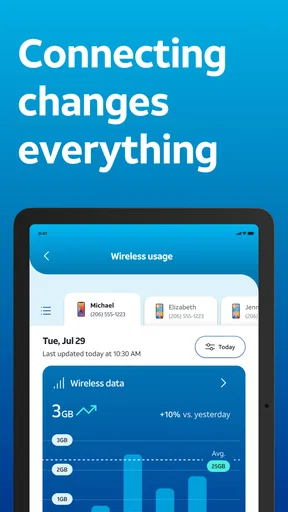
Another nifty feature is the data usage tracker. It’s all too easy to lose track of how much data you’re burning through, especially if you’re streaming or gaming on the go. The app allows you to monitor your usage and sends alerts when you’re getting close to your limit. This can save you from those dreaded overage charges.
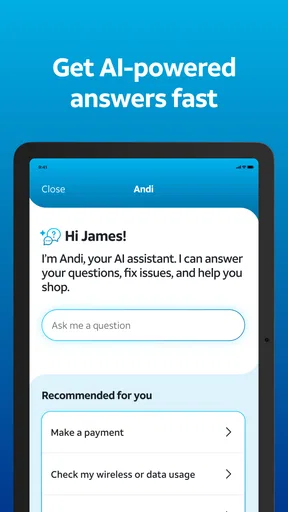
Need customer support? The app’s got you covered. You can chat with a representative directly through the app, which is a lot more convenient than waiting on hold forever. Plus, there’s a helpful FAQ section that might just have the answer you’re looking for.
Make the checks useful, not just frequent
A small habit makes the usage screen more valuable: check it before a data-heavy day, then again afterward if you streamed or used navigation for a long stretch. That gives you a sense of which activities are driving consumption and can help you decide whether to use Wi-Fi when it is available. I would treat the tracker as a way to guide choices, not as a reason to refresh the screen constantly. Usage information is most useful when it changes what you do.
For bill payment, I’d also separate convenience from verification. Before confirming a payment, take a moment to review the amount and account details shown in the app. If you use auto-pay, make a calendar reminder to check the bill periodically anyway; automation can reduce the chance of forgetting a due date, but it does not remove the value of noticing an unexpected change. For a payment that must be handled while traveling, I would do it where the connection is stable rather than waiting until the last moment in a crowded station or airport.
Using it on the move
The app makes the most sense in ordinary mobile moments: checking data before a long drive, looking at a bill during a lunch break, or opening support while you are already dealing with a service question. A realistic routine might be to check usage before a weekend away, pay an outstanding bill while you have a solid connection, and save any support follow-up for a calmer moment if the first attempt is interrupted. Keeping the task small and purposeful is easier than trying to sort out an account while rushing between places.
Compared with calling support, the app puts account details and self-service tasks in the same place and can be quicker for straightforward questions. Compared with a desktop account page, its advantage is convenience when you are away from a computer; a larger screen may still be easier if you need to review several details carefully. And compared with third-party bill reminders or data trackers, this app is directly tied to your AT&T account, which is the reason to choose it for carrier-specific tasks. Those general tools may suit someone who wants to manage multiple providers together, but they cannot replace an account-specific service channel.
Exploring the App’s Performance
Now, let’s talk about how the app performs. Overall, it runs smoothly without any major hiccups. The interface is intuitive, and navigation is a breeze. However, like with any app, there are occasional lags or glitches, particularly during peak times. But hey, nothing’s perfect, right?
When a page stalls or a request does not go through, I would first check whether the phone has a reliable connection, then try again after a short pause. If an action concerns a payment or account change, do not repeatedly submit it without checking the account screen first; confirming the current status can help you avoid duplicate attempts. If the app remains unresponsive, switching to the usual AT&T support route is more sensible than spending a long time retrying the same screen.
The app is updated regularly, which is a good sign. It shows that AT&T is committed to improving user experience and fixing any bugs promptly. I’ve seen improvements over time, and that’s always reassuring.
It is worth keeping the app current, especially if you rely on it for billing or support, but an update cannot make a weak network behave like a strong one. The practical approach is to keep the app available for routine account management and have another way to contact the carrier in mind for urgent problems. That is not a criticism unique to this app; any account service that needs a live connection can be inconvenient when the connection itself is the issue.
Who should keep it on their phone
With an average rating of 4.6 from around 403,000 ratings and more than 100 million installs, it is clearly a widely used carrier app. It is rated for Everyone, and its current version is 2026.5.2; the app first appeared on April 28, 2010, and requires Android 9 or later. Those details make it easy to judge basic compatibility, but the more important question is whether you will use its account tools often enough to justify keeping it installed.
I would recommend it to AT&T customers who pay their own bill, keep an eye on data use, or prefer trying in-app support before calling. It is also a sensible choice for someone who manages a household account and wants a convenient place to check the account while away from a computer. Someone who rarely handles carrier tasks, does not use AT&T, or prefers managing several services from one neutral tool may get little from it. In those cases, a bookmark to the provider’s account page or a general bill-organizing app may fit better.
Final Thoughts on the AT&T App
So, is the AT&T app worth downloading? In my book, absolutely. It simplifies the management of your phone plan and offers a range of useful features. Whether you’re paying bills, tracking data, or seeking support, the app has got your back.
Of course, there’s always room for improvement, but for now, it does what it says on the tin. If you’re an AT&T customer, it’s definitely worth having on your phone. It’s like carrying a mini service center in your pocket. So go ahead, give it a whirl, and simplify your mobile life.
My connectivity verdict
I see this as a handy account companion, not an app that replaces the phone service it helps you manage. Its strongest moments are the connected ones: a quick bill check, a usage review, or a support question handled without finding a computer. Its weak point is the same dependency that comes with remote account access: if the connection is unreliable, even a straightforward task can become a wait.
If you are an AT&T customer, I would install it, sign in before you need it, and use it for small, regular account checks. That simple preparation is more useful than opening it for the first time during an urgent problem. If you want provider-neutral tracking or rarely deal with your account, another tool may suit your habits better. For everyday AT&T account management, though, this is a convenient place to start.
Privacy and Permissions
See what permissions an app requests and how it handles your data.
- Identity
- find accounts on the device
- Calendar
- read calendar events plus confidential information, add or modify calendar events and send email to guests without owners' knowledge
- Contacts
- find accounts on the device, read your contacts
- Location
- approximate location (network-based), precise location (GPS and network-based)
- Phone
- read phone status and identity
- Photos/Media/Files
- read the contents of your USB storage, modify or delete the contents of your USB storage
- Storage
- read the contents of your USB storage, modify or delete the contents of your USB storage
- Camera
- take pictures and videos
- Microphone
- record audio
- Wi-Fi connection information
- view Wi-Fi connections
- Device ID & call information
- read phone status and identity
- Other
- view network connections, change network connectivity, connect and disconnect from Wi-Fi, full network access, change your audio settings, run at startup, control vibration, prevent device from sleeping
Verdict
Strengths of AT&T
- User-friendly interface for easy navigation.
- Wide range of features and functionalities.
- Reliable connectivity and performance.
- Seamless integration with other devices.
- Efficient customer support services.
Limitations of AT&T
- Limited customization options available.
- Can be data-heavy on certain plans.
- Occasional app crashes reported.
- Subscription plans can be pricey.
- Some features require a strong signal.
Other Releases by AT&T Services, Inc.
View All
AT&T ActiveArmor®
Tools4.2

AT&T Secure Family® parent app
Lifestyle4.5

AT&T Visual Voicemail
Communication3.1

Smart Home Manager
Productivity4.4
Similar Picks in This Category
View All
Google Calendar
Google LLC4.6

Google Drive
Google LLC4.3

Google Assistant
Google LLC3.9

Microsoft OneDrive
Microsoft Corporation4.6

Samsung Calendar
Samsung Electronics Co., Ltd.4.1

Microsoft OneNote: Save Notes
Microsoft Corporation4.6
Frequently Asked Questions
What features does the AT&T app offer?
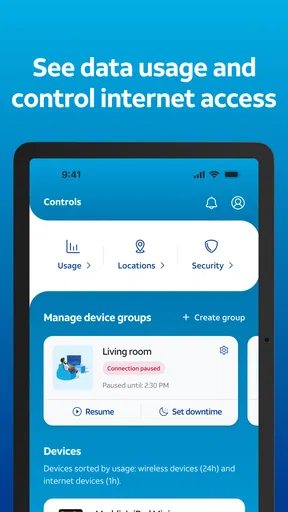
The AT&T app provides a comprehensive suite of features, including bill payment, data usage tracking, and plan management. Users can also access customer support, view and manage devices on their account, and find nearby AT&T stores. The app aims to streamline the user experience by integrating these functions into a single platform.
Is the AT&T app available for both Android and iOS?
Yes, the AT&T app is available for both Android and iOS platforms. Users can download it from the Google Play Store for Android devices or the Apple App Store for iOS devices. The app is designed to provide a seamless experience across different operating systems.
How secure is my personal information on the AT&T app?
The AT&T app prioritizes user security by employing advanced encryption standards to protect personal data. Additionally, the app offers multi-factor authentication to ensure that only authorized users can access their accounts. Regular updates are provided to further enhance security measures and address potential vulnerabilities.
Can I manage multiple accounts using the AT&T app?
Yes, the AT&T app allows users to manage multiple accounts from a single interface. Whether you have multiple lines or different services under one account, the app provides an organized way to switch between accounts, view details, and manage settings without needing to log out and log back in.
What should I do if I encounter issues with the AT&T app?
If you experience any issues with the AT&T app, first ensure that you have the latest version installed. Restarting your device can also resolve minor glitches. If problems persist, contact AT&T customer support through the app or via their website for further assistance. They provide troubleshooting guides and personalized support to resolve issues efficiently.
